VECTOR
Intelligent Workflow Platform
Connect APIs, business rules and AI agents into intelligent workflows.
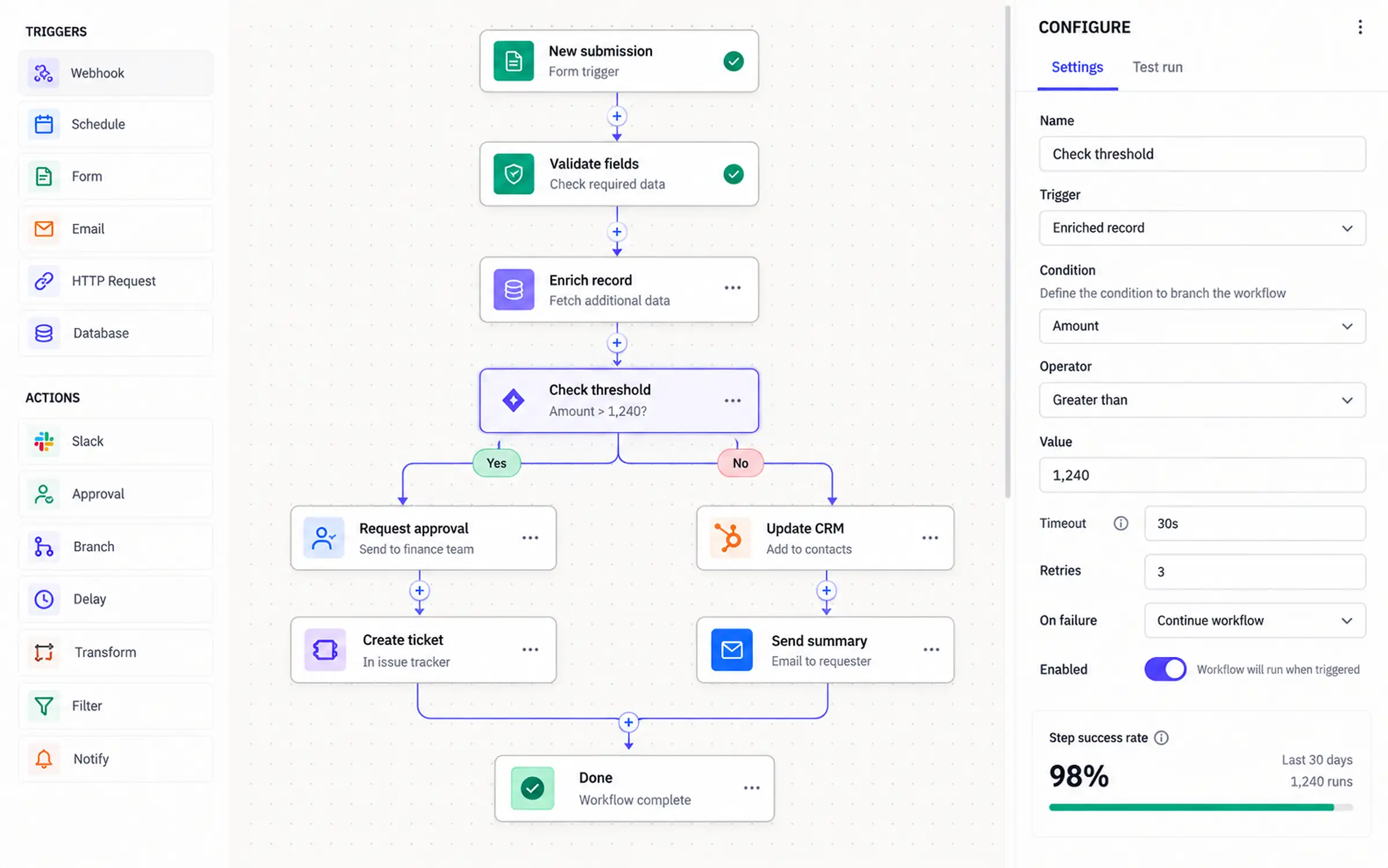
Automate processes that need judgement, without a retry double-charging anyone or a failure restarting from step one.
- Durable execution
- Typed step contracts
- Decision tables
- Confidence routing
- Replay
A visual workflow builder where AI agents are steps alongside API calls and business rules — with durable execution, replay and human review as first-class primitives.
What the product is built around.
VECTOR treats an AI agent as a step type with the same contract as any other: typed input, typed output, declared side effects, retry policy and compensation. That makes judgement composable with deterministic logic, and makes the whole flow durable and replayable.
AI as a typed step
An agent step declares its schema and confidence threshold. Below threshold it routes to human review rather than emitting a guess into the next step.
Durable by default
Execution state is persisted per step. A failure resumes rather than restarts, and committed side effects are never repeated.
Visible to the people who own it
The canvas is the implementation, not a diagram of it. The process owner reads the same thing the engine executes.
What makes this hard.
Business processes get automated twice: once in a no-code tool that cannot handle a real decision, and once in a script that nobody can see inside. Both break on the same things — a retry that double-charges, a branch nobody documented, a failure at step nine with no way to resume from step nine.
- 01
No-code tools cannot express a judgement call, so the process stops at a human
- 02
Scripts are invisible to the team that owns the process
- 03
A retry after a partial failure repeats a side effect
- 04
There is no way to resume a long-running process from where it failed
- 05
Adding AI means bolting an API call onto a flow with no guardrails
What the system does.
VECTOR treats an AI agent as a step type with the same contract as any other: typed input and output, declared side effects, retry policy and compensation. That makes judgement composable with deterministic logic. Execution state is checkpointed per step so a failure at step nine resumes at step nine, and business rules live in versioned decision tables a process owner can change.
Agent steps declare a schema and confidence threshold, routing to review below it
Side-effecting steps carry idempotency keys and declared compensating actions
Checkpointed execution resumes rather than restarts
Decision tables versioned separately, so a policy change needs no deploy
Decision tables fail closed — an unmatched input goes to review, never approval
VECTOR, as working interface.
Rendered UI, not a mockup — real tables, charts, filters and states. Try ⌘K for the command palette.
Executions (30D)
1.84M
Step success
99.2%
Human review rate
4.8%
Median duration
42s
Canvas — invoice-approval v11
live- TriggerTrigger
Invoice received · email or API webhook
- Retrieve dataAction
ERP purchase order + supplier record
- AI agentAI
Extract line items · match to PO · confidence 0.94
- DecisionDecision
Decision table v6 · amount, variance, supplier tier
ApproveRejectHuman - ExecuteAction
Post to ERP · idempotent · compensating reversal declared
- Notify & recordOutput
Supplier notified · execution log retained 7 years
Execution exec_8fK2q
- Workflow
- invoice-approval v11
- Status
- Awaiting human review
- Started
- 14:02:18 UTC
- Duration
- 1m 42s
- Steps
- 4 done · 1 waiting · 2 pending
- Agent confidence
- 0.61
- Threshold
- 0.85 · routed to review
- Cost
- $0.011
- Replayable
- From any step
Step trace — exec_8fK2q
Objective
Process invoice INV-104821 from Nordvik Supply: extract line items, match to purchase order, and route for approval.
- 01Trigger receivedwebhookComplete0.1s
PDF attachment · 2 pages · 184KB
- 02Retrieve PO and suppliererp.po.getComplete0.9s
PO-88412 found · supplier tier 2 · payment terms net-30
- 03Extract line itemsagent.extractComplete4.2s
8 line items · schema-validated · 1 item ambiguous
- 04Match against POagent.matchComplete2.8s
7 of 8 matched · line 6 variance €412 · confidence 0.61
- 05Evaluate decision tablerules.evaluateAwaiting approval
Confidence below 0.85 threshold · routed to human review
- 06Post to ERPerp.invoice.postQueued
Idempotency key set · reversal declared · blocked on review
- 07Notify supplieremail.sendQueued
Template inv-approved · suppressed until posting succeeds
Recent executions
| Execution | Workflow | Trigger | Steps | Duration | Cost | Confidence | Status |
|---|---|---|---|---|---|---|---|
| exec_8fK2q | invoice-approval v11 | Webhook | 4 / 7 | 1m 42s | $0.011 | 0.61 | In review |
| exec_3vTn9 | invoice-approval v11 | 7 / 7 | 38s | $0.009 | 0.96 | Succeeded | |
| exec_QzR7y | onboarding-kyc v4 | API | 12 / 12 | 4m 18s | $0.042 | 0.91 | Succeeded |
| exec_Lb4mK | refund-triage v8 | Schedule | 5 / 9 | 12s | $0.004 | — | Failed |
| exec_7hJ5n | refund-triage v8 | Replay | 9 / 9 | 18s | $0.003 | 0.94 | Recovered |
| exec_Wm2Xp | contract-review v2 | Upload | 6 / 8 | 2m 04s | $0.084 | 0.72 | In review |
6 of 184 executions in the last hour · exec_Lb4mK failed at step 6 and was resumed, not restarted
Decision table v6
versioned separately# Rules are versioned independently of the workflow,# so a policy change does not require a flow deploy.rules: - when: { variance_eur: "<= 50", supplier_tier: [1, 2] } then: approve note: within tolerance for trusted suppliers - when: { variance_eur: "<= 500", supplier_tier: [1] } then: approve note: tier-1 extended tolerance - when: { variance_eur: "> 500" } then: human_review note: always reviewed regardless of tier - when: { agent_confidence: "< 0.85" } then: human_review priority: highest note: low extraction confidence overrides all - when: { supplier_status: "disputed" } then: reject priority: highestdefault: human_review # fail closed, never auto-approveReview queue
- INV-104821 · Nordvik SupplyLine 6 variance €412 · confidence 0.611m
- INV-104818 · Akselos TradeSupplier not in PO system · no match found8m
- CTR-2841 · MSA renewalClause deviation detected · confidence 0.7214m
- INV-104802 · Meridian GoodsVariance €1,840 · above tolerance regardless of tier22m
- REF-9412 · refund above threshold€2,400 · policy requires two approvals41m
- INV-104788 · Corvid LabsDuplicate suspected · matches INV-1047021h
Execution volume
30DStep duration
p95 · secondsStep reliability
30D- Trigger100.0%
- Retrieve data99.6%
- AI agent98.1%
- Decision table100.0%
- Execute (ERP)97.4%
- Notify99.8%
Routing outcome
- Auto-approved82.0%
- Human review12.0%
- Auto-rejected4.0%
- Failed / retried2.0%
Version history
- Confidence threshold raisedv11
0.78 → 0.85 · review rate up 1.2pp, incorrect auto-approvals down 74%
- Compensation added to ERP stepv10
Declared reversal so a failed notify no longer leaves a posted invoice
- Rules extracted to decision tablev9
Policy now versioned independently of the flow
- Parallel supplier lookupv8
Median duration 61s → 42s
Interface states
UI statesNo workflows yet
Start from a template or build on a blank canvas.
New workflowEmpty stateStep failed — execution held, not rolled back
erp.invoice.post returned 503 after 3 retries. The execution is paused at step 6 with state preserved and can be resumed once the ERP recovers.
How it is put together.
Every step type implements the same contract, which is what lets an AI agent sit next to an HTTP call without special-casing the engine.
- 01
Builder Canvas
Visual editing with typed connections, validation and version diffing.
- Next.js
- React
- SVG canvas
- 02
Workflow API
Definitions, versioning, permissions and execution control.
- Node.js
- REST
- RBAC
- 03
Execution Engine
Durable step execution with checkpointing, retries and compensation.
- TypeScript
- Durable execution
- Queues
- 04
Step Runtime
One contract for integration, rule, agent and human step types.
- Typed contracts
- Zod
- Idempotency keys
- 05
Rules Engine
Declarative decision tables versioned independently of workflows.
- Decision tables
- Versioning
- Fail-closed default
- 06
Integrations
Connector catalogue with auth, pagination, rate limits and secret storage.
- OAuth
- Secret manager
- Rate limiting
What the product does.
The capability set the demonstration is built around.
Workflow builder
Visual canvas with typed connections, branching, parallelism and sub-workflows.
Integrations
120+ connectors plus a generic HTTP step with auth, pagination and rate limits.
AI agents
Agent steps with schemas, confidence thresholds and automatic human fallback.
Business rules
Declarative decision tables versioned separately from the flow that uses them.
Execution logs
Per-step input, output, timing and cost with full replay from any point.
Analytics
Throughput, step-level failure rates, bottleneck detection and cost per run.
Permissions
Role-scoped editing, approval rights and credential access per workflow.
Challenges, and the MaatX approach.
The problems that actually decide whether a system like this survives production — and how we address each one.
A retry after a partial failure repeats a side effect
Side-effecting steps declare an idempotency key and, where reversal is possible, a compensating action. The engine records committed effects, so a retry is a no-op rather than a second posting.
An AI step that is 70% confident should not act like it is certain
Agent steps declare an output schema and a confidence threshold. Below it, execution routes to human review with the extracted data pre-filled — the flow slows down instead of being wrong.
Long-running processes cannot restart from the beginning
Execution state is checkpointed per step. A failure at step nine resumes at step nine, which matters when steps one through eight already moved money.
Policy changes should not require redeploying the workflow
Business rules live in versioned decision tables evaluated at runtime. A finance owner can change a tolerance without an engineer touching the canvas.
A visual builder tends to hide what actually happened
Every step records its input, output, duration and cost. An execution can be replayed from any step against recorded inputs, so debugging is inspection rather than reconstruction.
Default behaviour on an unmatched condition is a security question
Decision tables fail closed. An input matching no rule routes to human review rather than falling through to approval.
The stack behind it.
Execution engine
- TypeScript
- Durable execution
- Per-step checkpointing
- Queues
- Exponential backoff retries
- Compensating actions
- Replay from recorded inputs
Step runtime
- Typed step contracts
- Zod
- Idempotency keys
- Declared side effects
- Timeouts and deadlines
- Per-step cost accounting
Agent steps
- LLMs
- Structured output
- Schema-validated extraction
- Confidence thresholds
- Human-review routing
- Prompt versioning
- Token cost metering
Rules & routing
- Decision tables
- Independent rule versioning
- Priority ordering
- Fail-closed default
- Dry-run evaluation
- Decision audit records
Integrations & credentials
- OAuth 2.0
- Generic HTTP step
- Secret manager
- Rate limiting
- Cursor pagination
- Webhook triggers
- Connector catalogue
Workflow API & storage
- Node.js
- REST
- RBAC
- PostgreSQL
- Redis
- Object storage
- Append-only execution log
Builder canvas
- Next.js
- React
- TypeScript
- Tailwind CSS
- SVG canvas
- Typed connection validation
- Version diffing
How it grows with the business.
The same system at three stages. Most products should not start at the third — but the architecture should not have to be thrown away to get there.
One process automated end to end, with full execution visibility.
- Visual builder with core step types
- A handful of integrations
- Per-step execution logs
- Manual review step
AI steps, decision tables and durable execution across processes.
- Agent steps with confidence thresholds
- Versioned decision tables
- Durable execution with resume and replay
- Execution analytics and bottleneck detection
Automation platform with governance and reuse.
- Sub-workflows as versioned components
- Role-scoped editing and approval rights
- Simulation of a new version against historical volume
- Thresholds tuned from human review outcomes
Where it could go next.
Directions this system would extend into.
- 01
Workflow generation from a natural-language description of the process
- 02
Bottleneck detection with suggested parallelisation
- 03
Sub-workflows as reusable, versioned components
- 04
Simulation mode that replays historical volume against a new version
- 05
Learned thresholds tuned from human review outcomes

Composing AI judgement with deterministic logic in a workflow that has to be replayable?
We built VECTOR to work through exactly this. Tell us where you are and we will tell you what we would do differently for your constraints.